Case Study
Time Clock
Case Study · Working Product
I built a time tracker for my own work: several timers at once, a weekly hours-by-project report, and timers I can start from Claude Code.
- Role
- Product owner & builder
- Built with
- Claude Code
- Status
- In use since launch, Nov 3
Overview
I had never tracked my time. I estimated my hours from what I knew I’d got done. When I needed to send my PM a weekly report of hours by project, I built a time tracker that fits how I actually work.
Several timers can run at once, overlapping time is split evenly so the week still adds up, and Claude Code can start and stop my timers. It has been in use since launch, Nov 3.
Estimates weren’t going to hold up in a weekly report
My work jumps between projects all day, and often two at once. A guess at the end of the week was fine when nobody asked. A report that breaks hours down by project and by day needs real numbers, and I wanted to get them without a spreadsheet ritual or a heavyweight tool built for someone else.
So I wrote down what I actually needed:
- Several timers at once
Each one started at its own time, with start and end times I can fix later.
- Overlap split evenly
An hour on two projects counts half to each, so the week still adds up to the hours I worked.
- Timers from Claude Code
“Start the timer for Atlas,” and Claude asks what I’m working on if I didn’t say.
- Hours, not surveillance
My PM sees counted hours by default. Clock times appear only if I turn them on.
Katey’s Role
I acted as the product owner. Claude Code did the engineering, split into slices, each one specified, built, reviewed and demoed before the next. I approved every spec, saw screenshots of each slice, and said yes to anything that went online.
Fast, but not careless
Speed came from parallel work, and quality came from review. Every task had its own reviewer, every slice a final review and a screenshot walkthrough, and nothing reached the live site without my explicit yes.
From an approved brief on Nov 2 to the live app on Nov 3 took under 24 hours.
| When | What shipped |
|---|---|
| Nov 2 | Brief, features and design approved: needs written down, the screens sketched, the visual direction set, and the stack and hosting chosen. |
| Nov 3 | Foundation, projects, time engine, timers and day screen: sign-in, the overlap-splitting engine with property tests, several timers at once, and adding and editing by hand. |
| Nov 3 | Weekly report and Claude Code tools, in parallel: two slices built side by side by separate agents, each with its own reviewers. |
| Nov 3 | Downloads: a spreadsheet and a standalone page that prints cleanly. |
| Nov 3 | Launch: database, hosting, and sign-in for one account with sign-ups off. |
| Launch day | First change from real use: an AM/PM toggle on every time field. |
A few choices shaped the rest: one user with sign-ups off, two downloads (a spreadsheet and a standalone page), and free hosting tiers.
The app today
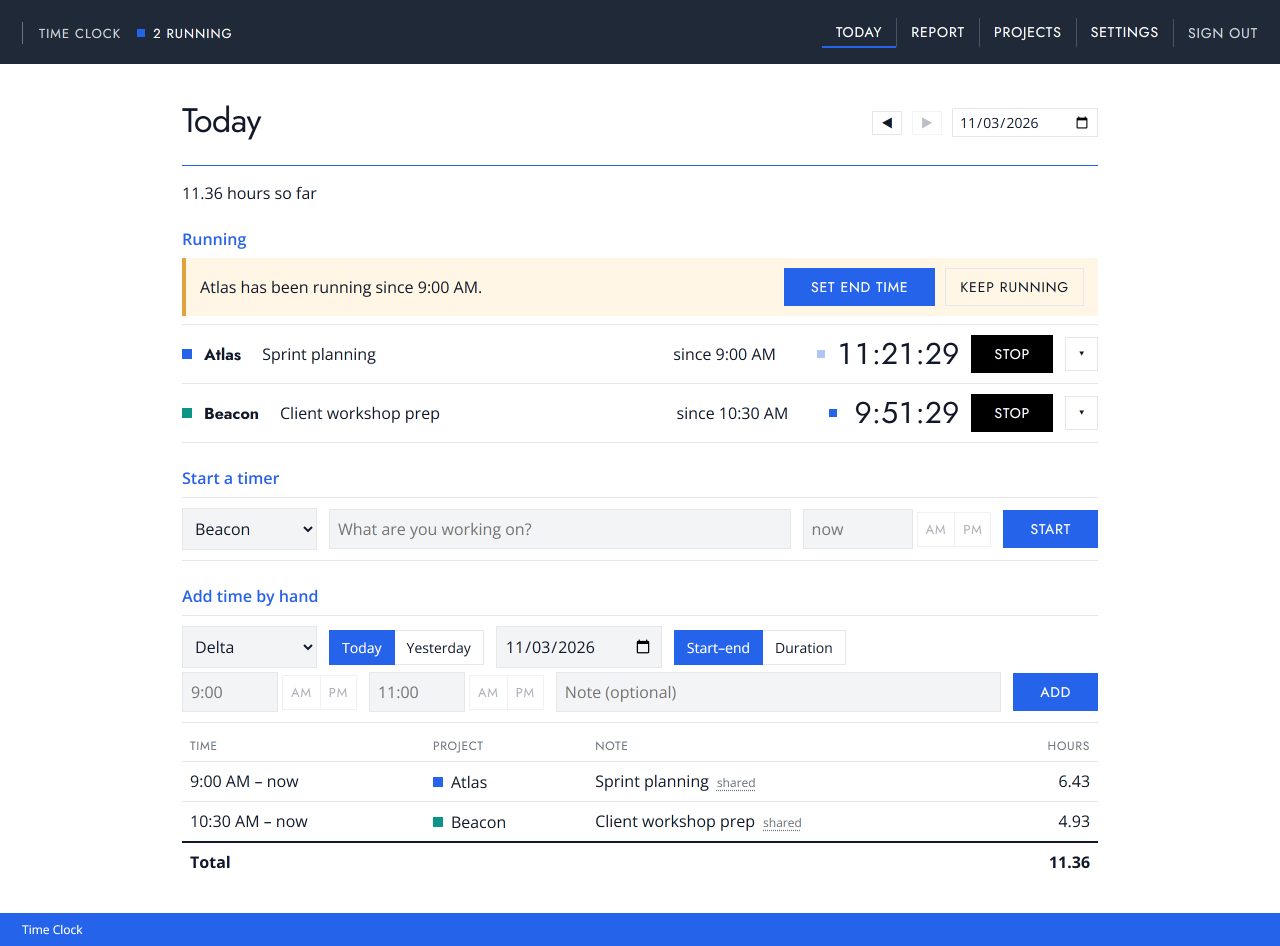
Today is where the day happens. Several timers can run at once, a forgotten timer can be added by hand, and a timer’s start can be backdated.
An overlapping hour is split, not double-counted
Most trackers either double-count overlapping timers or make you stop one. I wanted both timers to run and the week to still add up.
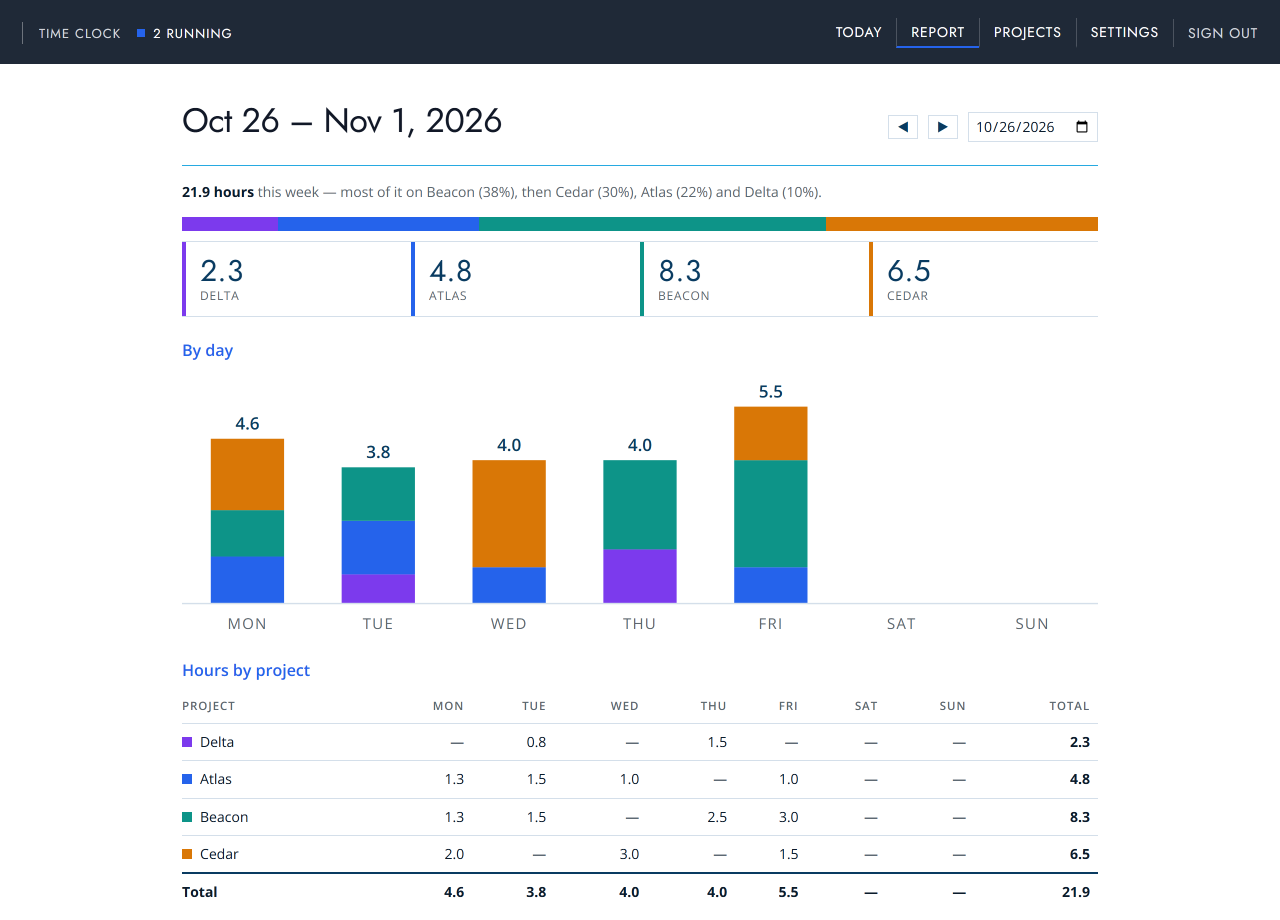
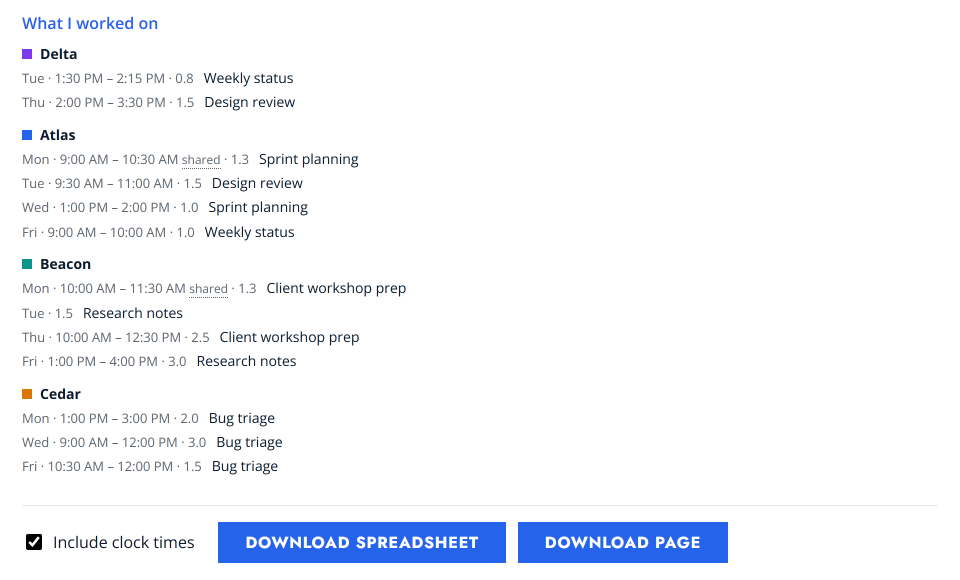
The weekly report is built for my PM: hours by project and by day, with notes. It downloads as a spreadsheet or a standalone page.
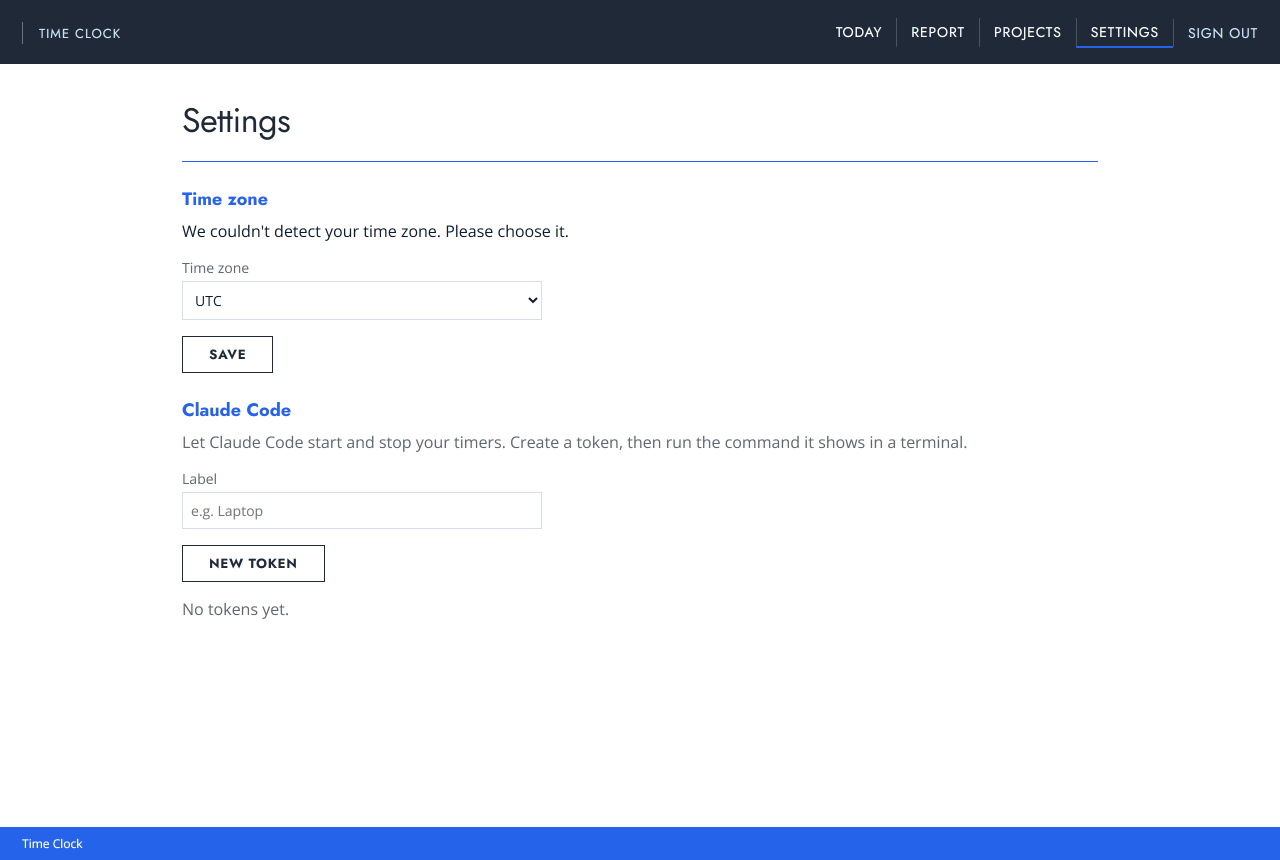
Claude Code connects with a token created in Settings, and can then start and stop my timers.
By the numbers
- Idea to live
- Under 24h
- Slices shipped
- 10
- Unit tests
- 841
- Browser tests
- 105
- Monthly hosting, on free tiers
- $0
The unit tests run in two time zones, UTC and Asia/Tokyo. There are also 51 database tests.
Stack
Reflection
The first change came from using it, not from the spec. On launch day I went to type a time and realised I don’t know military time. Every time field got an AM/PM toggle the same day.
Review caught that my first rule for filling in AM or PM would have saved the wrong hours, so each field got its own rule, with tests at a fixed clock time. A day of real use taught me more than the spec did, and the smallest change was the one that most needed review.